Bill-of-Materials (BOM) importer updated
Multi-level BOMs can now be imported
 Jimmy ByrumMar 14, 2025
The updated Bill-of-Materials (BOM) importer can now handle two types of multi-level BOMs:
- Hierarchy coded with level column
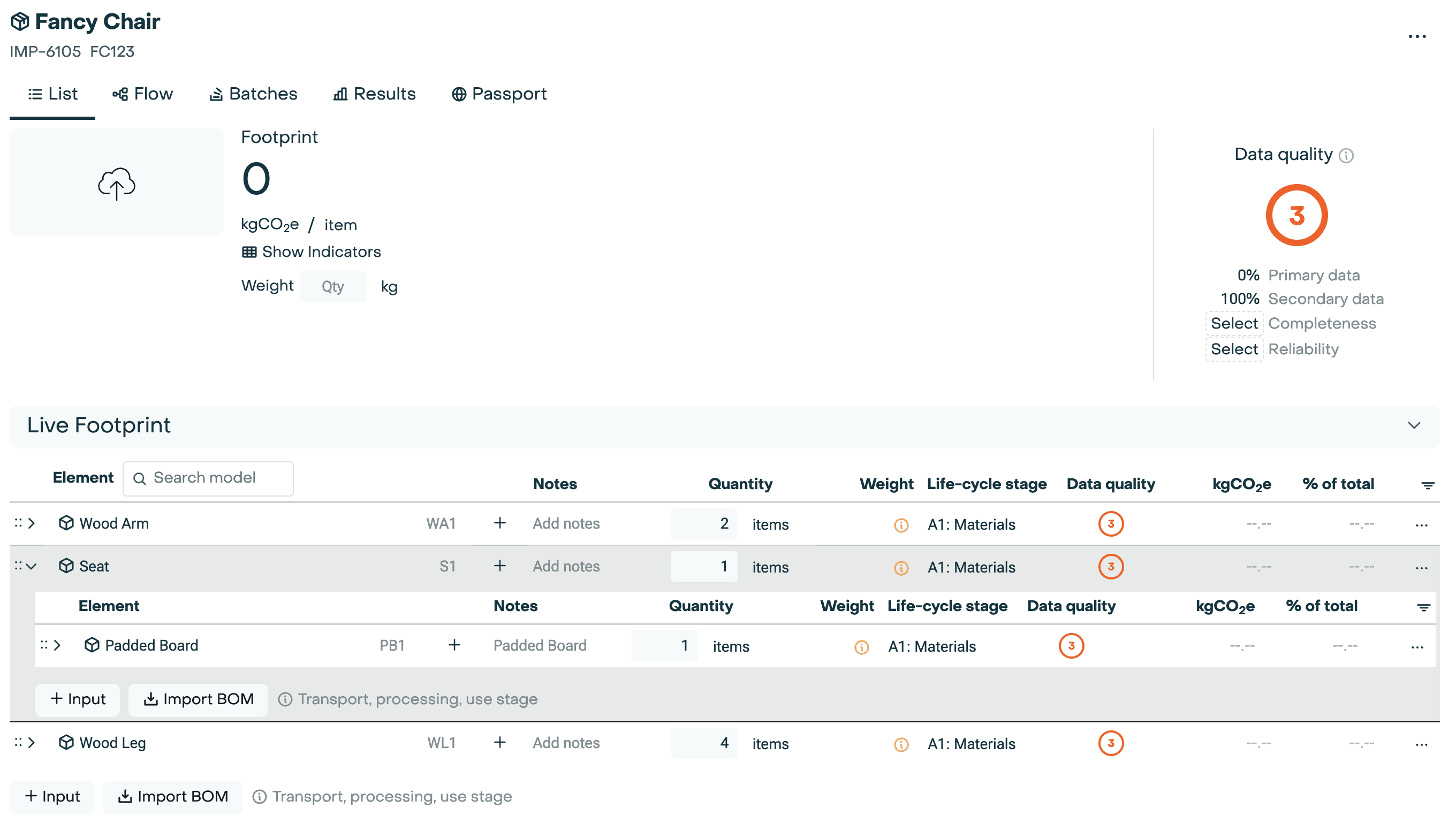
The first type typically has a "level" column where something that is level 2 is the child of whatever is above it at level 1. The ordering of the lines matters for these BOMs. In this example, the main item being created is a Fancy Chair that has 3 line items: Wood Arm, Seat. and Wood Leg. Padded Board is part of the Seat model.
Level
Part ID
Part Name
Quantity
0
FC123
Fancy Chair
1
1
WA1
Wood Arm
2
1
S1
Seat
1
2
PB1
Padded Board
1
1
WL1
Wood Leg
4
- Hierarchy coded with parent reference
The second type has a reference to the parent line. This is more reliable since the ordering of the lines is not important.
Part ID
Parent ID
Item
Quantity
FC123
Fancy Chair
1
WA1
FC123
Wood Arm
2
S1
FC123
Seat
1
PB1
S1
Padded Board
1
WL1
FC123
Wood Leg
4
The BOM importer will create a Product for the main item (BOM level 0 or a line with no Parent ID) and Material Elements for each line. Both of the examples above would result in the following: